
How do I identify the correct MTX unit?
Use the complete type code, material number and revision from the nameplate. Clear photos of the label, full unit and connections help verify the configuration.
Controls, HMI & Interfaces / Product family
Manufacturer system documentation identifies this automation platform or supporting hardware group. Exact hardware, software release and machine context must be verified.
Call for availability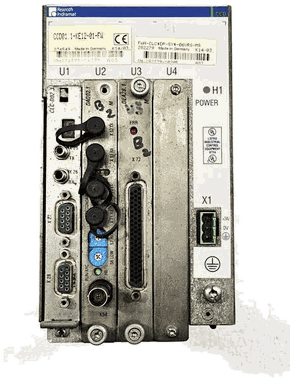
Model groups
MTX micro is documented within IndraMotion MTX CNC Platforms. Manufacturer system documentation identifies this automation platform or supporting hardware group. Exact hardware, software release and machine context must be verified.
MTX is documented within IndraMotion MTX CNC Platforms. Manufacturer system documentation identifies this automation platform or supporting hardware group. Exact hardware, software release and machine context must be verified.
Manufacturer document trail
Official product overview for documented control, HMI, I/O, IPC and drive-system hardware.
Use the document reference to check product-family context and edition availability. The physical nameplate, material number, revision and installed machine still govern any stock, repair or compatibility decision.
View manufacturer reference →Common questions
Use the complete type code, material number and revision from the nameplate. Clear photos of the label, full unit and connections help verify the configuration.
Availability changes. Call or submit the exact code for a current stock, condition, repair or availability check.
The same intake can be routed for repair evaluation or replacement. Include the machine, fault symptoms and complete hardware configuration.
Availability · repair · offers
The suffix can change electrical and mechanical compatibility. Include every character and a clear nameplate photo.