
DIAX02 DDS / DKS / DDC status indications
Edition: 12/96
Status-indication chapter excerpt with display meanings, possible causes and remedial actions. Starts at printed page 7; not the complete applications manual.
Diagnostic reference library / Indramat & Rexroth
Start with the equipment family and firmware. Browse diagnostic indexes, original troubleshooting excerpts and fault-clearance guidelines—then match the document to your machine.
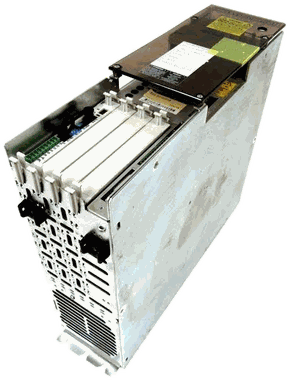
Choose the document, not just the number
The same code can appear in more than one firmware family. These references help you locate the applicable documentation; a search match does not establish the cause of a fault.
Guide / excerpt Supplied troubleshooting content; check the listed scope.
Diagnostic index Code titles and page pointers, not the full procedures.
Search by family, firmware, document number or a listed fault code.
Punctuation and spaces are optional. Fault-code search finds exact F/E/A/C/P/D codes in searchable PDF text, not a diagnosis. Scanned pages, numeric-only and hexadecimal codes are not fully indexed. Match the hardware and firmware before using any reference.
Edition: 12/96
Status-indication chapter excerpt with display meanings, possible causes and remedial actions. Starts at printed page 7; not the complete applications manual.
Edition: WAR1 · publication 270218
Manufacturer fault-clearance guideline for AC main spindle drives. Match the installed controller and edition before using the procedures.
Edition: Second generation · AW07
Scanned diagnostic-display table from section 11.5, printed page 11-4. Includes HVE/HVR-specific footnotes; this single page does not include the full troubleshooting chapter.
Edition: Rev. B · 12/93
Scanned chapter 8, pages 8-1 through 8-35, covering CLM fault causes, corrective actions and status messages, plus SOT and IDS diagnostic-code indexes. No searchable text layer.
Edition: ELS-05VRS
Electric Gear diagnostic contents for this DIAX03 firmware edition.
Contents only: code titles and original manual page references. Detailed explanations and clearing procedures are not included.
Edition: SSE-02VRS
Servo diagnostic contents for this DIAX03 firmware edition.
Contents only: code titles and original manual page references. Detailed explanations and clearing procedures are not included.
Edition: ASE-02VRS
Diagnostic contents for the ASE-02VRS DIAX04 platform. Hardware-family links are navigation aids, not firmware compatibility confirmation.
Contents only: code titles and original manual page references. Detailed explanations and clearing procedures are not included.
Edition: ELS-05VRS
Electric Gear diagnostic contents for the ELS-05VRS DIAX04 platform.
Contents only: code titles and original manual page references. Detailed explanations and clearing procedures are not included.
Edition: SSE-02VRS
Servo diagnostic contents for the SSE-02VRS DIAX04 platform.
Contents only: code titles and original manual page references. Detailed explanations and clearing procedures are not included.
Edition: CR*-02VRS
Contents excerpt, printed pages VI–X, from the CR*-02VRS documentation.
Contents only: code titles and original manual page references. Detailed explanations and clearing procedures are not included.
Edition: FGP-03VRS
Diagnostic contents for the FGP-03VRS ECODRIVE03 firmware edition.
Contents only: code titles and original manual page references. Detailed explanations and clearing procedures are not included.
Edition: FL*-03VRS
Contents excerpt, printed pages IX–XIV, from the FL*-03VRS documentation.
Contents only: code titles and original manual page references. Detailed explanations and clearing procedures are not included.
Edition: SGP-03VRS
Diagnostic contents for the SGP-03VRS ECODRIVE03 firmware edition.
Contents only: code titles and original manual page references. Detailed explanations and clearing procedures are not included.
Edition: SMT-02VRS
Diagnostic contents for the SMT-02VRS ECODRIVE03 firmware edition.
Contents only: code titles and original manual page references. Detailed explanations and clearing procedures are not included.
Edition: ASE-02VRS · 07/96
ECODRIVE01 diagnostic contents for DKC01.1 and DKC11.1 with ASE-02VRS firmware.
Contents only: code titles and original manual page references. Detailed explanations and clearing procedures are not included.
Edition: ASE-04VRS · 07/97
ECODRIVE01 diagnostic contents for DKC01.1 and DKC11.1 with ASE-04VRS firmware.
Contents only: code titles and original manual page references. Detailed explanations and clearing procedures are not included.
Edition: SSE-03VRS · 12/96
ECODRIVE01 diagnostic contents for DKC02.1 with SSE-03VRS firmware.
Contents only: code titles and original manual page references. Detailed explanations and clearing procedures are not included.
Edition: 06VRS · 03/99
Contents excerpt listing VisualMotion status, warning, shutdown and programming messages.
Contents only: code titles and original manual page references. Detailed explanations and clearing procedures are not included.
Edition: V02
Controller and motion diagnostic contents for IndraMotion MLC V02. This is the MLC platform, not the separate CLM control.
Contents only: code titles and original manual page references. Detailed explanations and clearing procedures are not included.
Edition: 04VRS
Troubleshooting-guide contents for MLC 04VRS. The document identifier is not visible in the supplied pages.
Contents only: code titles and original manual page references. Detailed explanations and clearing procedures are not included.
Edition: 13VRS · RE06
Contents for controller, PLC, motion and communication diagnostic messages in XLC/MLC 13VRS.
Contents only: code titles and original manual page references. Detailed explanations and clearing procedures are not included.
Edition: MPx-02–MPx-08 · WA08
Diagnostic contents for the stated IndraDrive firmware range and HMV.
Contents only: code titles and original manual page references. Detailed explanations and clearing procedures are not included.
Edition: MPx-16 · RE02
Contents for MPx-16 status, error, warning, command and loader diagnostic messages.
Contents only: code titles and original manual page references. Detailed explanations and clearing procedures are not included.
Edition: MPx-16–MPx-19 · RE07
Diagnostic contents for this firmware range and PSB. Supplied copy retains the CMA/Flodyne/Hydradyne courtesy attribution.
Contents only: code titles and original manual page references. Detailed explanations and clearing procedures are not included.
These reference copies preserve their original source attribution. Index page numbers point to the parent manual, not necessarily a page in the supplied PDF. This is a selected library, not an exhaustive list of every fault or firmware edition. Electrical troubleshooting must be performed by qualified personnel using the complete applicable safety and machine documentation.
Four-part fault record
Photograph the complete display, indicator pattern and any secondary message before it is cleared.
Record the complete DKC, DDS, HDS, RAC, supply or control type code - including design generation and suffix.
Capture firmware, software module, function ID/version, option hardware and removable-memory labels.
State what the machine was doing, what changed recently and whether the fault returns consistently.
A displayed code should be interpreted only inside the documentation for the installed hardware and firmware generation. Start with the product family, then choose the edition-specific official record.
Include loss of motion, overtemperature, communication loss, audible noise, intermittent behavior or a trip during a specific machine event. Do not turn one code into a board-level diagnosis before the system is reviewed.
Fault-code questions
The same displayed number or letter sequence can belong to different product and firmware families. The complete unit and firmware identify the applicable manual.
Preserve the displayed information first. Follow only the machine builder and applicable official manual procedures through qualified personnel.
Not by itself. A code is diagnostic evidence that must be interpreted with the exact hardware, firmware, machine state and observed behavior.
Availability · repair · exchange
The suffix can change electrical and mechanical compatibility. Include every character and a clear nameplate photo.