
CLC
CLC-D02.3
- R911 material number
- Nameplate confirmation needed
Active listing · verify current stock
View product →Controls, HMI & Interfaces / Product family
Manufacturer control manuals document this legacy control family. Full type code, hardware revision, firmware and machine compatibility must be verified.
Call for availability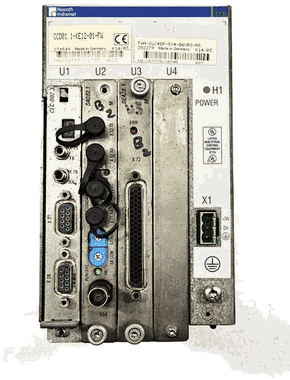
Find your complete type code
Browse catalog and sourcing references by complete type code. Each product opens its own detail page. Ask Litco to check current stock or source a unit; condition, configuration and lead time are confirmed with your quote.
Showing 4 of 4 products · all listings active for inquiries
CLC
Active listing · verify current stock
View product →CLC
Active listing · verify current stock
View product →CLC-P01
Active listing · verify current stock
View product →CLC
Sourcing inquiry · availability on request
View product →Model groups
CLC-P01 is documented within CLC Positioning & Motion Controls. Manufacturer control manuals document this legacy control family. Full type code, hardware revision, firmware and machine compatibility must be verified.
CLC-P02.2 is documented within CLC Positioning & Motion Controls. Manufacturer control manuals document this legacy control family. Full type code, hardware revision, firmware and machine compatibility must be verified.
CLC-D02.1A is documented within CLC Positioning & Motion Controls. Manufacturer control manuals document this legacy control family. Full type code, hardware revision, firmware and machine compatibility must be verified.
CLC-D02.2A is documented within CLC Positioning & Motion Controls. Manufacturer control manuals document this legacy control family. Full type code, hardware revision, firmware and machine compatibility must be verified.
Manufacturer document trail
Official legacy-product service and manufacturer-manual collection.
Use the document reference to check product-family context and edition availability. The physical nameplate, material number, revision and installed machine still govern any stock, repair or compatibility decision.
View manufacturer reference →Technical references / CLC
Find related diagnostic indexes and troubleshooting references. Check the firmware and document edition; a family match alone does not confirm applicability.
Common questions
Use the complete type code, material number and revision from the nameplate. Clear photos of the label, full unit and connections help verify the configuration.
Availability changes. Call or submit the exact code for a current stock, condition, repair or availability check.
The same intake can be routed for repair evaluation or replacement. Include the machine, fault symptoms and complete hardware configuration.
Availability · repair · offers
The suffix can change electrical and mechanical compatibility. Include every character and a clear nameplate photo.