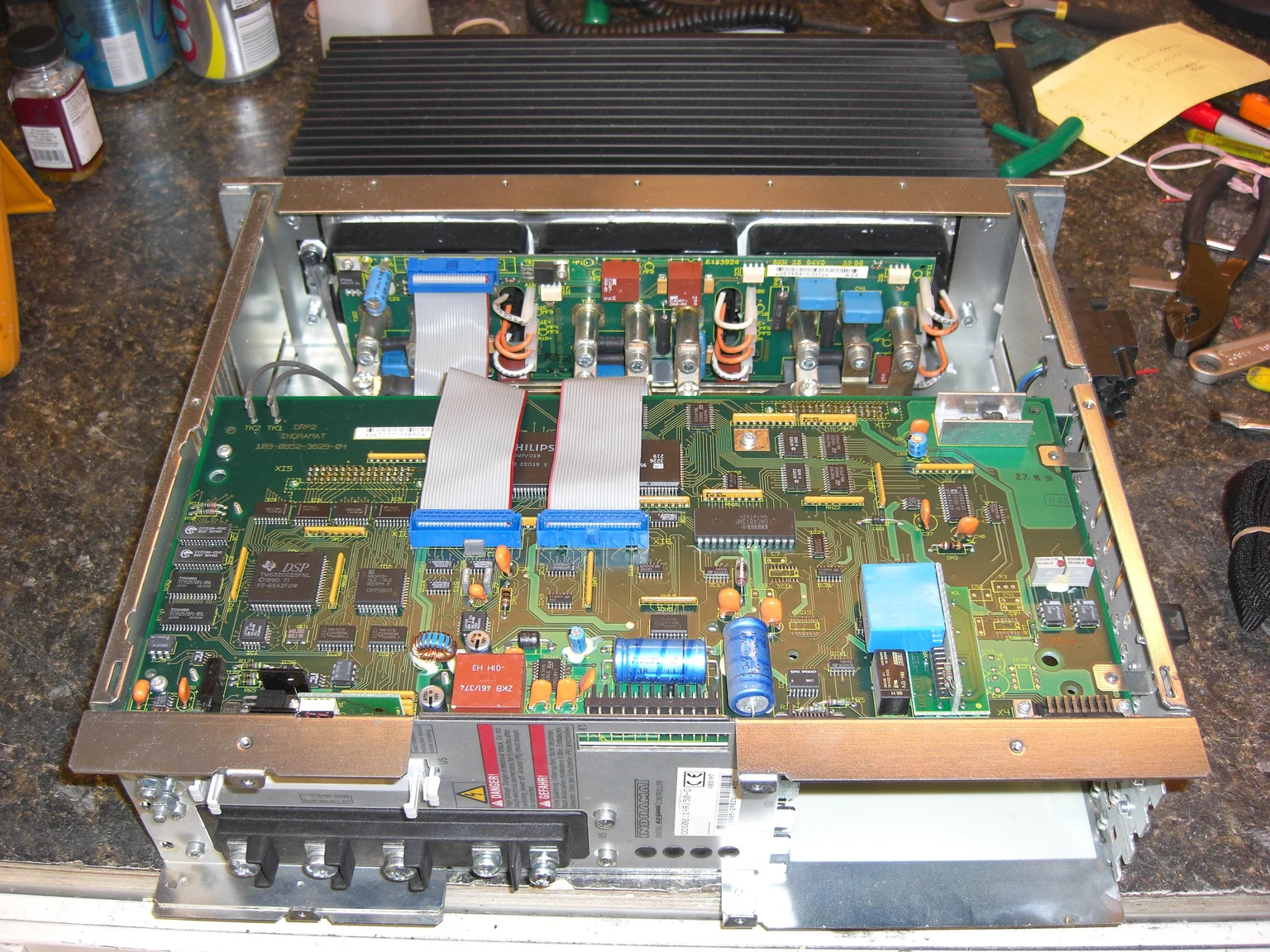
DDS02.1-A150-D product details
DDS02.1-A150-D identifies the drive’s base hardware. The installed communication modules, software and firmware must also match the machine. Send the configuration plate and module labels before ordering.
The A cooling code uses air from outside the control cabinet; 150 identifies the 150 A rated-current class, and D specifies digital servo feedback. These are hardware identification fields, not a complete machine configuration.
Litco’s photograph shows this base designation on a unit undergoing repair. Ask for current photos, condition and included modules when requesting a quote.
DIAX02 DDS02.1/03.1 basic-unit planning manual (distributor-hosted); verify configured modules separately →Technical description reviewed 2026-09-13. Confirm against the physical unit.
Historical inventory reference · 2026-08-22
| Exact designation | DDS02.1-A150-D |
|---|
| Family | DDS |
|---|
| Model group | DDS02 |
|---|
| Product type | Digital drive controller |
|---|
| Quantity in the historical snapshot | 8 · not a current stock count |
|---|
| Quantity snapshot date | 2026-08-22 |
|---|
| Current price & condition | Confirmed with your quote |
|---|
The quantity snapshot, photo reference and photo review can have different dates. None confirms today’s physical stock, test status, firmware or included accessories.
Family-level technical source
DDS reference context
April 1997 manufacturer-authored basic-unit planning reference for DDS02.1 / DDS03.1, identified from a distributor-hosted original. Installed modules, software and firmware need their own matching documentation. Ask for the applicable edition; no direct manufacturer download is verified here.
This source documents part of the broader product family. Its listed hardware generation may differ from this unit. It does not establish the ratings, options or compatibility of this exact designation. Match the complete physical label, design generation and document edition before using any technical values.
Open family reference: DIAX02 DDS02.1 / DDS03.1 Drive Controller Basic Units — Project Planning →How to choose the applicable manual →
Photos help confirm the match
Start with the complete drive label and a view of the full assembly. Add command and feedback connectors, module labels and slot positions, software-module or firmware labels, and the connected supply and motor labels. Record these before any hardware is moved; photograph only when access is safe under your facility procedures.
Full nameplate and photo checklist →Repair and testing
Send the machine builder, model, axis, fault history and photos of the label and installed interfaces. Litco reviews the unit before confirming repairability, testing, timing and terms.
Configuration guides for this product family
These pages explain the system evidence that still matters after an exact designation is found.
Other family records—not confirmed substitutes
These records may share a model or family, but only a complete configuration review can establish compatibility.